Don't Be An Easy Target
If you already have a security system
Your security system is a proven deterrent to intruders. Studies have shown that homes without alarm systems are 2.2 times more likely to be burglarized than homes with alarm systems. Source: The Greenwich Case: Securing Suburban Homes, Simon Hakim. Your alarm system will detect and report attempts to break into secured areas.
If you don't already have a system
Pin windows and sliding doors so they are hard to open from the outside.
If something isn't exactly right when you return home, don't go inside. Go to a neighbor's home for assistance. Risk embarrassment rather than endangering your life.
Meet your neighbors. Inform each other when workers are scheduled to be at your home so imposters can't steal valuables. If your neighbor hasn't informed you of the work to be done, call the police. Some victims of burglary have had their homes completely emptied by what appeared to be a moving company. The neighbors saw the truck arrive and watched the men empty the house. They didn't call the police because they assumed the neighbor, whom they hardly knew, was moving.
In another case burglars gained entry into a home by cutting a three foot wide by seven foot high hole in the side of a house. When the neighbors were questioned by the police to determine what they may have heard or seen, they all acknowledged hearing the chain saw running, and assumed the neighbor was having work done on their home.
Make your home a less attractive target for burglars.
- Avoid landscaping that provides hiding places.
- Keep doors locked--an obvious step that most victims have ignored.
- Put away ladders or other objects that would assist a burglar in reaching an upper window.
Do you have a privacy fence? If someone got into your yard, would the fence provide the cover for the burglar while he breaks in?
Lights make a difference
When you're away, put lights on a timer so they come on automatically at dusk, to create the impression that you're home.
Light the exterior sides and back of your home to make hiding or entering undetected more difficult.
Daytime burglaries
Burglaries are more likely to occur between the hours of 9 AM and 3 PM in the afternoon when many neighborhoods are empty. The children are in school, adults are at work, shopping or involved in civic work. This is a perfect time for a burglar to go to work without being noticed. Don't leave doors or windows unlocked, even when you leave the house to go next door, down the block or to the store for just a short time.
Consider changing fencing so one could be seen in the side yard. Shadow box fencing with larger spaces do a good job of keeping pets in while still providing some view of who is in the yard. Iron picket or wood picket fencing is better yet.
Software Downloads
How do I download the mobile app?
Guardian Alarm uses the following mobile applications depending on your equipment. In you are unsure call us at 318-688-4698 and we can help you.
| Alarm.com |
DMP |
Video System |
UltraSync |
 |
|
|
|
 |
|
|
|
Video Software:
Guardian Online Remote Support
Only use this link when directed by a Guardian Alarm System support representative:
Video System Support
How do I download video from my recorder?
Download these instructions. If you need technical support and are in the 60-day installation window or you a have a maintenance contract, support will be provided at no additional cost. Customers outside the 60 days installation window will pay standard service rates for support. For more information on the maintenance contracts, visit here.
How do I use the Smart PSS Software on a Computer?
Download these instructions
How do I install the video app on my phone?
Download these instructions.
- The App is listed above for Andrioid or iPhone
Alarm System Support
How do I install the UltraSync app on my phone?
Download these instructions.
- The App is listed above for Andrioid or iPhone
Is it my responsibility to test my alarm system, and if so how do i test it?
Yes, it is always the alarm owner's responsibility to properly test their system with our central station. It is a good idea to test your system at least once a month. Testing devices like panic buttons and temperature sensors is extremely important to ensure their proper operation in the event of an emergency.
To test your system, follow the following steps:
- Contact our Central Station at 318-688-4698 and place your account on test.
- Arm your system.
- Trigger the alarm by opening a protected door or window.
- Verify you can hear the siren or bell.
- Call our Central Station and verify they received an alarm signal and request your account be taken off test.
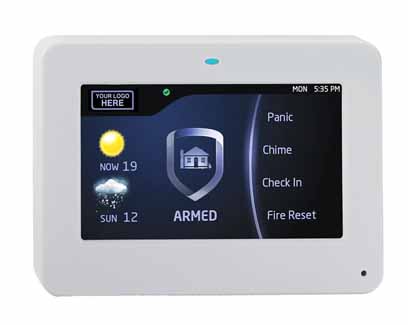
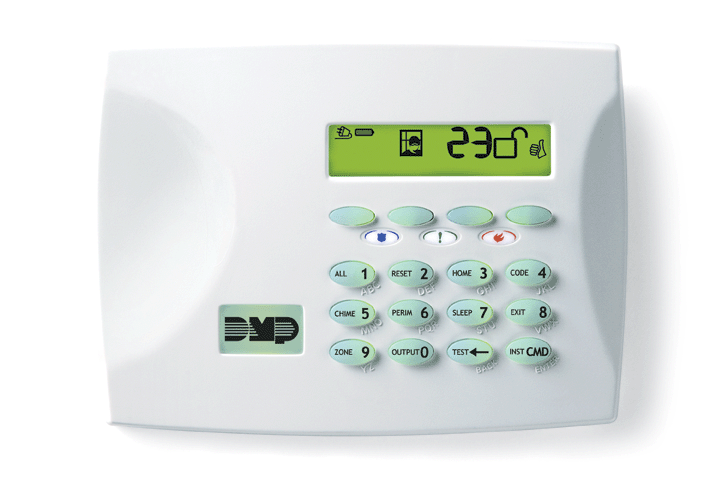
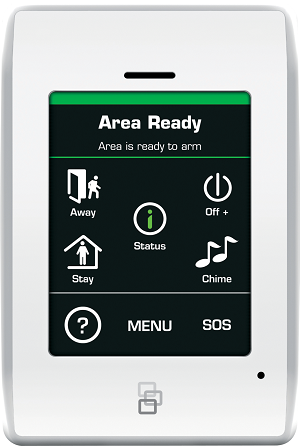
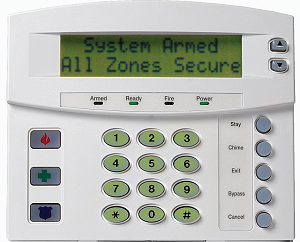
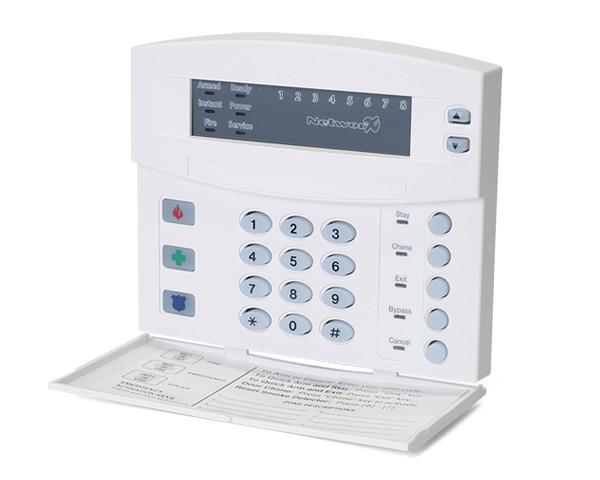
What type of alarm system do I have?
There are many types of security systems. The easiest what to determine your system is to check your keypad.
|
DMP
|
DMP
|
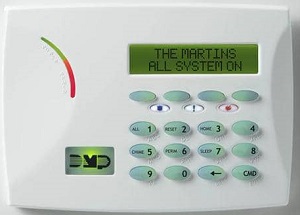
DMP
|
Interlogix NX
|
Interlogix NX
|
|
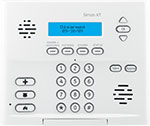
Interlogix Simon XT
|
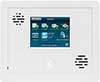
I
|
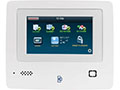
InterlogixSimon XTi-5
|
Interlogix NX
|
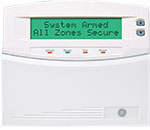
Interlogix NetworX (NX)
|
|
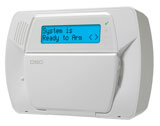
DSCImpassa Panel
|
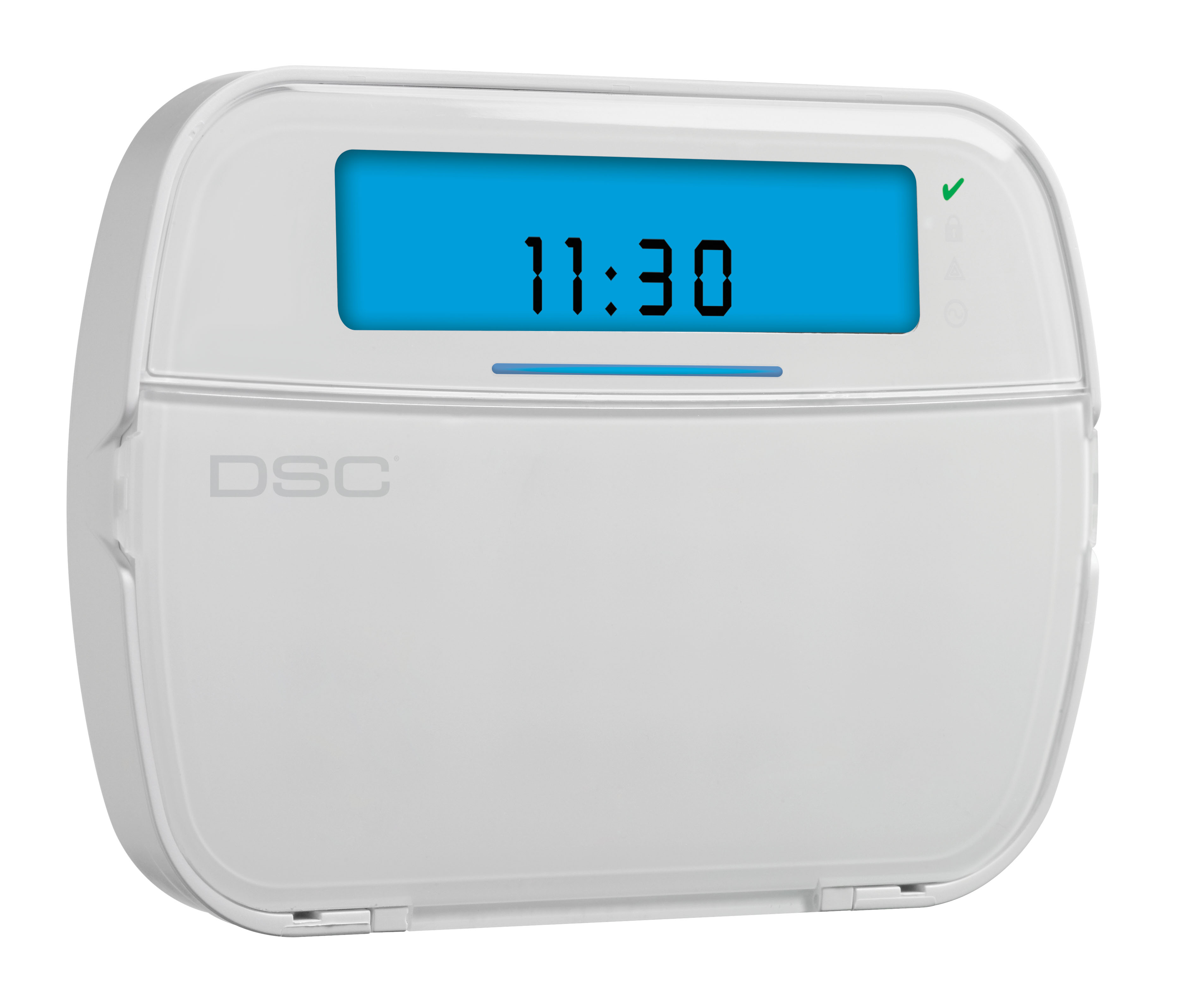
DSCPowerSeries Neo
|
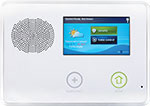
|
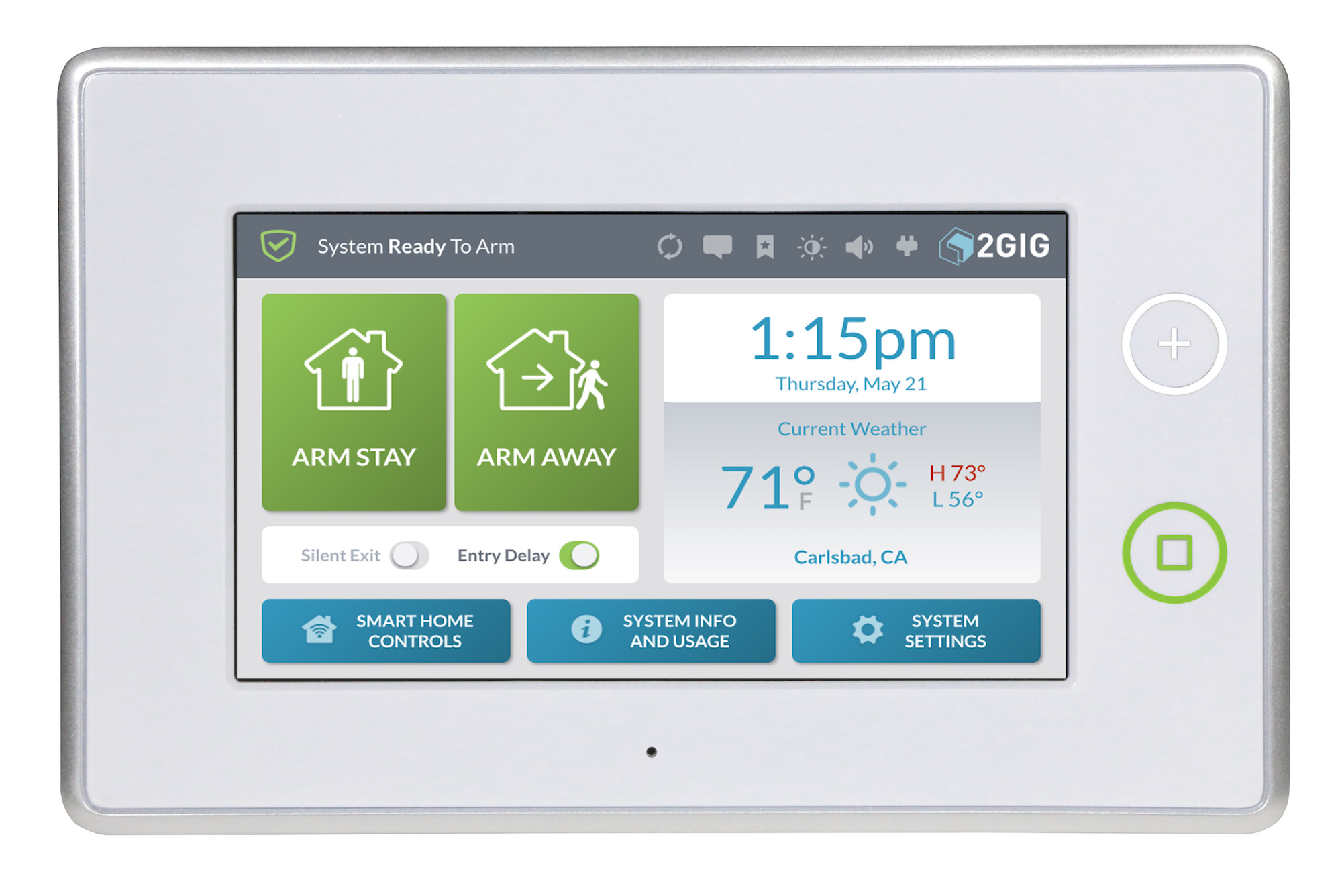
2GIG Go!Control 3
|
|
I need to change my user code, can you change it for me?
Yes, during our normal business hours we would be happy to help you change the user codes in your system. Contact our customer care department Monday thru Friday 8:00am to 5:00pm at 318-688-4698. All code changes require confirmation of your existing code.
How do I change the people on my emergency call list?
Changes to your emergency call list may be changed by calling our office or using the online request form here.
How much are your service rates for service calls?
Our standard rates for a service call are $85 per hour for residential service and $105 per hour on commercial security service. Our technical support rates for Access Control and Video Systems are $125 per hour. These rates are for customers outside of the 1-year equipment warranty and those not on a Service Plan.
Do you offer extended warranty or a maintenance plan?
Yes, for more details view our Service Plan page.
What does a low battery on a transmitter mean?
This is an indication that the battery in one of your wireless contacts is getting low. Typically when you see the low battery on a transmitter message you have about 20 days to change the battery before it dies.
Can I change my own batteries?
Yes, typically most contacts have a cover that you can remove to replace old batteries. Use this chart for more information on what batteries you may need.
My alarm was triggered by mistake, what do I do now?
If you have triggered your alarm accidentally enter your code to disarm the system. Our central station should be contacting you to verify the alarm. Please give the operator your passcode when requested. If you do not receive a call within 60 seconds or if you have triggered your "Panic" button, please contact our central station at 318-688-4698 and request to cancel the police.
It is our standard procedures not to verify panic alarms.
It is also our standard procedure to contact the premises two times, once when the alarm is first received and once after the authorities have been contacted.
I have a service or trouble light on my keypad. What does that mean?
A service or trouble light means a condition is present that requires service. Refer to your manual in customer care. If you still need assistance call 318.688.4698.
How do I add an additional code to my alarm system?
You may contact our customer care department and we will be happy to enter the codes for you.
What is the difference between Stay, Exit and Instant?
Stay = This is normally used at night when someone is home. The perimeter of the home is secured with a delay on the entry/exit door(s) and interior motion detectors are bypassed.
Exit = This is a standard arming. All sensors are active with a delay on the entry/exit door(s) and motion detectors are active.
Stay Instant = The perimeter of the home is secured without any delays on the entry/exit door(s) and interior motion detectors are bypassed. (normally used at bedtime)
What are your normal service hours?
Our normal office are Monday thru Friday 8:00am to 5:00pm. Our central station operations are open 24 hours a day.
What do I do if I want to disconnect our phone line?
We understand that in today's world many people are disconnecting their home phone lines because people now use cell phones for most calls. So paying AT&T or another phone company an additional $30 per month for a phone line they never use just doesn't make sense. At Guardian Alarm, we have several solutions for customers that don't have or want a phone line. We value the loyalty of our customers and so we have a couple of programs in place to help update their systems.
Wireless Communication
With a $99.00 Activation Fee + $85 Service Charge ($184.00), we will install a wireless communication solution that allows you to disconnect your phone line, saving you money every month.
Interactive Home/Business Solutions
Many of our current customers have security systems that will allow for today's modern interactive solutions like; controlling the security system, lights, door locks, thermostat, garage door and more, all from your cell phone. Click here for more information on the interactive home. Rates for the Interactive Solutions are available here.
System Upgrades
If your current security system does not support the interactive home features, upgrade options are available.
- New Keypads are available for $99 per Keypad
- While upgrading the system if the technician determines other equipment is faulty additional charges may apply.
If you have any System Upgrade questions please call our office at 318-688-4698.
False Alarm Prevention
WHAT IS A FALSE ALARM?
A false alarm is most commonly defined by the police department as any alarm signal which elicits a response where no actual emergency exits. The key word is response.
If a response by police does not occur, that is if the alarm is canceled before they are called, actually arrive, no report is written and no citation is given.
This is important because this is the primary opportunity for alarm users to prevent costly fines from alarm signals caused in error.
WHAT CAUSES FALSE ALARMS?
Up to 98% of all alarm signals are false. Of that figure, 76% are caused by user error. That is, accidents in setting the system improperly or not properly securing the building prior to setting the system.
Equipment malfunction (alarm) accounts for approximately 10% of the total false alarms, and weather, phone line problems account for the remaining 14% of all false alarms.
WHAT CAN BE DONE TO PREVENT FALSE ALARMS?
FALSE ALARM PREVENTION CHECKLIST
- Inspect your motion detectors, door & window contacts, alarm screens and any other alarm components for dust, spider webs, moisture, and anything else that might interfere with proper operation.
- In the event of a false alarm, find out what caused it and take steps to ensure that it does not happen again.
- Cancel all false alarms immediately.
- When construction or repairs are scheduled on your home or business, call Guardian and alert them not to dispatch during the construction period.
- Notify Guardian if you will be away from home for an extended period of time. Also notify Guardian when you will return. Give Guardian your revised call list for the period while you are away.
- When call list verification sheets are sent out please update and send back.
- Make sure that pets are not loose in a room that has motion detectors.
- Do not allow any moving items to remain in an area where a motion sensor is located. Do not stack any items in front of a motion sensor. Loose banners, swinging plants and balloons cause false activations.
- Make sure that all your windows and doors latch securely to eliminate false alarms from wind or from someone accidentally jiggling your door.
- Eliminate any rodent or other pest or insect problem from your home or business. These are a common cause of alarm activation.
- Quickly repair broken windows or holes in roofs to ensure that birds, cats or other animals can’t enter and set off your alarm.
- Ensure that everyone who uses your alarm system has been trained in its operation and knows the correct code. This includes employees, janitors, delivery personnel, domestic help etc.
- Finally, call Guardian Alarm Systems (318) 688-4698 or (888) 231-1744 with any questions.
USER RESPONSIBLE FOR CHECKING SYSTEM
A security system is an electronic device. They can malfunction or fail without notifying our central station. Additionally, a phone line can stop working and make communication with our central station impossible. Please check your alarm system periodically to avoid the possibility of failure. Every contact point can be checked by placing your system in the chime mode than opening each window. Your keypad will chime indicating it successfully acknowledged the contact opening. After checking each device on the system, notify our central station that you are going to set off your alarm. Do this by arming your system than opening an exterior door. Once the siren sounds turn the alarm off, then wait for our central station to call you back to confirm the communication was successful. You can also call our central station directly to help you perform these tests.
Disconnecting Phone Lines
We understand that in today's world many people are disconnecting their home phone lines because people now use cell phones for most calls. So paying AT&T or another phone company an additional $30 per month for a phone line they never use just doesn't make sense. At Guardian Alarm, we have several solutions for customers that don't have or want a phone line. We value the loyalty of our customers and so we have a couple of programs in place to help update their systems.
The following upgrade options are available to all customers that have been with Guardian Alarm for 2 years or longer.
Wireless Communication
With a $99.00 Activation Fee + $85 Service Charge ($184.00), we will install a wireless communication solution that allows you to disconnect your phone line, saving you money every month.
Interactive Home/Business Solutions
Many of our current customers have security systems that will allow for today's modern interactive solutions like; controlling the security system, lights, door locks, thermostat, garage door and more, all from your cell phone. Click here for more information on the interactive home. Rates for the Interactive Solutions are available here.
System Upgrades
If your current security system does not support the interactive home features, upgrade options are available.
For only $299 and signing a new 2-year contract with Auto Pay; we will upgrade an old security system. This will give you a 1-year warranty on the new panel and allow you to take advantage of the Interactive Home and mobile app feature that are available today. See Rates here.
- New Keypads are available for $99 per Keypad
- While upgrading the system if the technician determines other equipment is faulty additional charges may apply.
If you have any System Upgrade questions please call our office at 318-688-4698
 Guardian Alarm Systems is the innovative leader in security services in Northwest Louisiana. We have led the way in developing custom solutions for many of your neighbors and businesses. With our Underwriters Laboratories "UL" Five Diamond central monitoring station in Shreveport, we are the only security company in the Ark-La-Tex to provide local professional monitoring and service. Have the piece-of-mind that comes from using a local professional you can count on, for Alarm Security, Fire Systems, Access Control Solutions and Video Monitoring.
Call today for more information:318.688.4698 or 888.231.1744
Guardian Alarm Systems is the innovative leader in security services in Northwest Louisiana. We have led the way in developing custom solutions for many of your neighbors and businesses. With our Underwriters Laboratories "UL" Five Diamond central monitoring station in Shreveport, we are the only security company in the Ark-La-Tex to provide local professional monitoring and service. Have the piece-of-mind that comes from using a local professional you can count on, for Alarm Security, Fire Systems, Access Control Solutions and Video Monitoring.
Call today for more information:318.688.4698 or 888.231.1744